Generative Pages vs Custom Pages vs PCF: Choosing the Right Power Apps Experience in 2026
Microsoft Power Apps now offers multiple approaches for creating rich application experiences beyond standard forms and views. With generative pages introducing AI-assisted React development alongside established custom pages and Power Apps Component Framework (PCF), choosing the right approach has become an important architectural decision. This guide compares their capabilities, trade-offs and practical enterprise use cases.
Scalo··10 min read
Beyond Standard Forms: The Evolution of Power Apps Experiences
Model-driven Power Apps have long provided a powerful foundation for building data-centric enterprise applications.
With Dataverse at the core, organisations can rapidly deliver applications using standard forms, views, dashboards, business process flows and role-based security.
For many business scenarios, these capabilities remain entirely sufficient.
However, enterprise applications increasingly require more sophisticated user experiences.
Consider an application that needs to display an interactive customer journey, visualise complex relationships, provide an operational command centre or support a highly tailored workflow.
Traditional forms and views may not offer the level of interaction required.
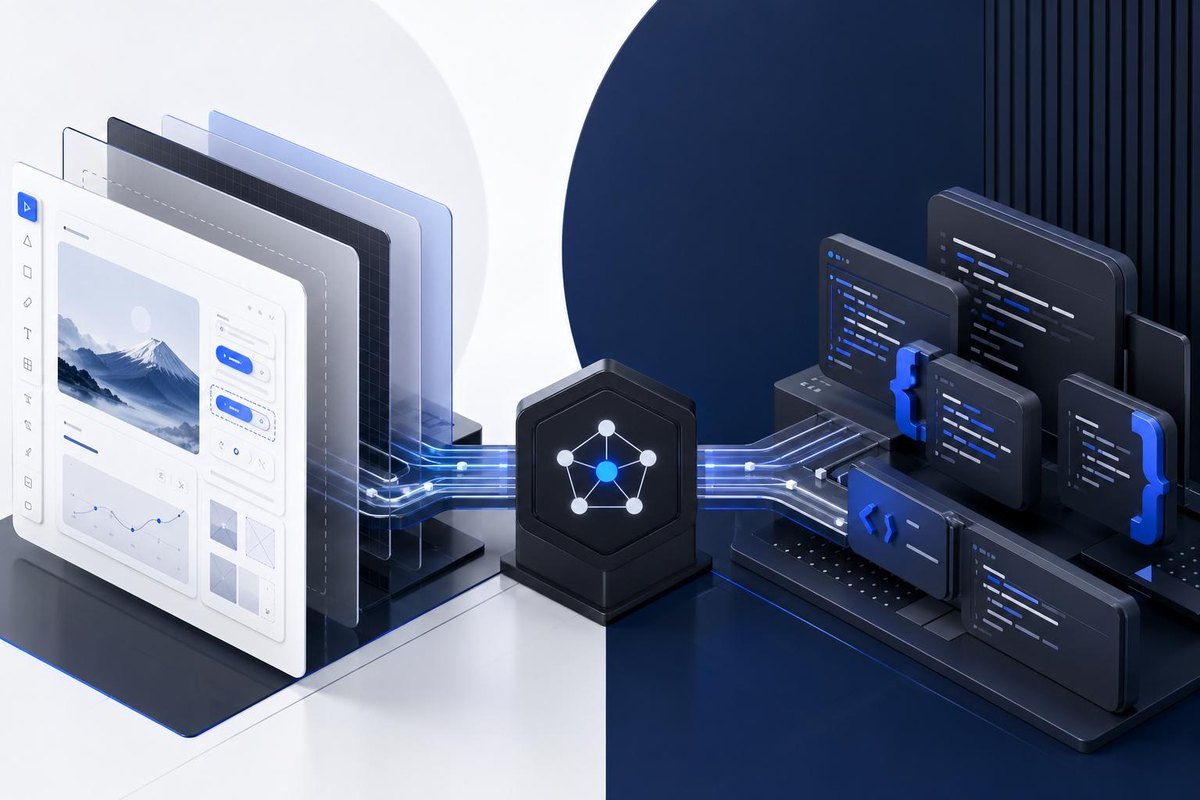
Microsoft has introduced several approaches to address these requirements, including custom pages, Power Apps Component Framework (PCF) and, more recently, generative pages.
Each provides different capabilities and development experiences.
The architectural challenge is no longer whether Power Apps can support a customised experience. It is determining which approach offers the right balance of flexibility, engineering effort, performance and maintainability.
Generative pages enable developers and makers to create customised pages within model-driven applications using natural-language instructions and AI-assisted development.
A developer can describe the intended interface, provide visual references and generate an initial implementation.
The resulting experience uses React and TypeScript, with code that can be reviewed and modified.
Microsoft also supports development through external AI coding tools and local development environments.
This represents a shift towards AI-assisted software engineering within Power Apps.
Typical use cases
Interactive operational dashboards.
Custom workspaces.
Rich data exploration interfaces.
Process visualisation.
AI-assisted application prototyping.
Generative pages are particularly interesting when teams want the flexibility of modern web development while retaining integration with model-driven applications.
However, generated code still requires testing, architectural review and ongoing maintenance.
Custom Pages: Low-Code Flexibility Within Model-Driven Apps
Custom pages bring canvas app capabilities into model-driven applications.
They allow developers to create tailored layouts using Power Apps Studio, Power Fx, controls and supported connectors.
Custom pages can be displayed as full pages, dialogs or side panes.
They provide a useful middle ground between standard model-driven experiences and fully custom code-based interfaces.
Typical use cases
Guided business processes.
Multi-step data entry.
Custom approval screens.
Operational dashboards.
Contextual dialogs.
Task-oriented workspaces.
Custom pages are generally suitable when the desired experience can be delivered effectively using low-code controls and Power Fx.
They also support PCF components, allowing developers to introduce specialised controls when necessary.
PCF: Reusable Custom Components
Power Apps Component Framework enables professional developers to build custom controls using web technologies such as TypeScript and React.
Unlike custom pages and generative pages, PCF primarily focuses on creating reusable components rather than defining an entire application page.
A PCF component can replace a standard field control or provide a customised dataset experience.
For example, a developer might create a timeline, calendar, interactive map or advanced visualisation.
Typical use cases
Interactive timelines.
Custom calendars.
Hierarchical visualisations.
Advanced data grids.
Specialised input controls.
Reusable visual components.
PCF is particularly valuable when a requirement involves a distinctive interaction that can be reused across multiple forms, views or applications.
2. Comparing Generative Pages, Custom Pages and PCF
The following comparison provides an architectural perspective rather than a product ranking.
Capability
Generative Pages
Custom Pages
PCF
Primary purpose
AI-assisted custom page development
Low-code custom page development
Reusable custom controls
Development approach
React, TypeScript and AI coding tools
Power Fx and Power Apps Studio
TypeScript, React and web tooling
AI-assisted generation
Native authoring approach
External assistance possible
External coding assistants possible
UI flexibility
High
Moderate to high
High within component boundaries
Dataverse integration
Supported through page APIs
Supported through Power Apps data sources
Supported through framework context and APIs
External integration
Connector support in preview
Supported connectors
Through supported APIs and integration patterns
Reusability
Page-level
Page-level
Component-level
Code ownership
Generated and developer-maintained
Primarily low-code
Developer-maintained
Best fit
Tailored code-based pages
Guided business experiences
Specialised reusable interactions
The most important distinction is architectural scope.
Generative pages and custom pages provide complete page experiences.
PCF provides reusable components that can be embedded within supported application surfaces.
Consequently, PCF is not always a direct alternative to the other two approaches.
A custom page containing a PCF control may be the most appropriate design.
Scalo / Architecture advisory
Power Apps Experience Selector
Question 1 of 50% complete
1. What are you trying to build?
3. When Should You Choose Generative Pages?
Generative pages are particularly relevant when the user experience requires greater design freedom than traditional low-code controls provide.
Consider an operations team that needs a workspace combining multiple business datasets, interactive visualisations and contextual actions.
The requirements may include:
Custom navigation.
Interactive charts and diagrams.
Complex filtering.
Dynamic layouts.
Context-sensitive information.
Rich visual interactions.
Generative pages allow developers to describe these requirements and generate an initial React-based implementation.
Why They Are Interesting in 2026
Microsoft's generative page capabilities have expanded significantly.
The 2026 release roadmap includes global availability, while Microsoft documentation describes local development workflows using AI coding tools, TypeScript, React and Power Platform CLI.
This creates an opportunity for professional developers to use familiar engineering practices while building within the Power Apps ecosystem.
Architectural Considerations
Generative pages are not a universal replacement for established development approaches.
At the time of writing, Microsoft documents several limitations, including a maximum of six directly linked Dataverse tables per page, preview support for Power Platform connectors and custom APIs, and restrictions on collaborative editing.
Generated code must also be reviewed for security, accessibility, performance and compliance.
Choose generative pages when the requirement benefits from a custom code-based page and the team can support the resulting application through appropriate engineering practices.
4. When Should You Choose Custom Pages?
Custom pages are well suited to business experiences requiring more flexibility than standard model-driven forms without the overhead of a predominantly code-first implementation.
Consider a customer service application where an employee needs a guided case resolution workspace.
The page might display customer details, related cases, relevant knowledge articles and a series of actions.
A custom page can provide this experience using Power Fx, responsive containers, standard controls and supported connectors.
Architectural Advantages
Custom pages offer:
Integration with model-driven application navigation.
Low-code development using Power Apps Studio.
Support for Power Fx.
Access to supported connectors.
Solution-aware deployment.
Support for PCF components.
Full-page, dialog and side-pane experiences.
Custom pages are an established option for enterprise applications and have generally available runtime, ALM and connector capabilities.
Architectural Considerations
Custom pages have limitations that should be evaluated.
Not every canvas app control is supported. Mobile use remains subject to documented preview restrictions, and some device capabilities and offline scenarios are unavailable.
Performance also depends on application design, data retrieval patterns, formulas and the number of controls.
A highly complex interface should not automatically be implemented as a custom page simply because the development experience is low-code.
Choose custom pages when the business experience can be delivered effectively using Power Fx and supported controls, with limited need for specialised code.
5. When Should You Choose PCF?
PCF is a strong option when the requirement involves a specialised interaction or visual component that standard Power Apps controls cannot adequately provide.
Consider a customer relationship management application requiring a consolidated customer journey timeline.
The timeline may need to display interactions across sales, service, marketing and operational systems.
Users might need to:
Group events by business category.
Zoom between different time periods.
Filter event types.
Hover over events for additional context.
Navigate to related records.
Explore dense datasets efficiently.
A custom PCF control can implement this interaction using React and appropriate visualisation libraries.
The component can then be embedded into supported model-driven application surfaces.
Architectural Advantages
PCF provides:
Fine-grained control over component behaviour.
Access to modern web development practices.
Reusable component packaging.
Integration with the Power Apps component lifecycle.
Support for field and dataset experiences.
Opportunities for performance optimisation.
Architectural Considerations
PCF introduces professional development responsibilities.
Teams must manage code quality, dependencies, testing, packaging and deployment.
The component must also operate within the Power Apps hosting model and supported framework APIs.
Large datasets require careful attention to pagination, data retrieval and rendering performance.
Choose PCF when the requirement is a specialised, reusable interaction rather than an entire custom application page.
Consider an organisation using Dynamics 365 and Dataverse to manage customer interactions.
The business wants a consolidated timeline showing customer activities across sales, marketing, customer service and external operational systems.
The experience should support grouping, filtering, zooming and contextual navigation.
How should the solution be designed?
Option A: Generative Page
A generative page could provide a complete customer journey workspace using React and TypeScript.
The interface could combine timeline visualisation, filtering controls, contextual panels and navigation.
This may be attractive when the organisation wants a dedicated page experience with a high degree of UI flexibility.
However, the architecture must account for supported data access patterns, performance, integration requirements and the current limitations of generative pages.
Option B: Custom Page
A custom page could provide a dedicated customer journey workspace using Power Fx and supported controls.
This may be suitable for simpler timelines, guided navigation and contextual information.
For more advanced timeline interactions, a custom page could host a PCF component.
Option C: PCF Control
A PCF control could provide the interactive timeline directly within an account form or another supported application surface.
This may be attractive when users need the timeline alongside existing account information and want a consistent component reused across applications.
An Important Data Architecture Decision
The choice of UI technology should not determine how enterprise data is stored.
For a large customer base, retrieving every interaction directly from multiple operational tables may introduce performance and integration challenges.
An alternative is to create a consolidated timeline event model in Dataverse or an appropriate supporting data service.
This model could contain the essential event metadata required for efficient timeline retrieval.
The UI could then request only the events relevant to the selected customer, date range and filters.
Pagination, indexing, query optimisation and appropriate data retention strategies would remain important.
The user experience technology determines how information is presented. The data architecture determines whether that experience can operate reliably at enterprise scale.
7. Performance: The Often-Overlooked Decision Factor
Development speed and visual flexibility are important, but performance must be considered independently.
A visually impressive application that takes several seconds to load or becomes unresponsive with large datasets may not meet enterprise expectations.
Generative Pages
Performance depends on the generated React implementation, data access patterns, rendering strategy and integration design.
Generated code should be reviewed for unnecessary data retrieval, inefficient rendering and excessive client-side processing.
Custom Pages
Performance depends on Power Fx formulas, delegation, control design, data retrieval and page complexity.
Developers should minimise unnecessary data loading and use delegable queries wherever possible.
PCF
PCF provides fine-grained control over rendering and component behaviour.
However, performance depends heavily on implementation quality.
For example, a timeline component displaying thousands of events may benefit from virtualisation, incremental loading and efficient rendering techniques.
The Architecture Principle
Performance is not guaranteed by the technology choice. It must be designed, measured and validated.
For enterprise solutions, teams should establish realistic performance targets and test against representative data volumes.
8. ALM, Governance and Maintainability
The long-term cost of an application is influenced by more than initial development effort.
Organisations must consider how solutions are maintained, tested, deployed and supported.
Generative Pages
AI-generated code introduces the need for disciplined code review, dependency management, testing and controlled deployment.
The ability to generate an interface quickly does not guarantee that future modifications will be straightforward.
Custom Pages
Custom pages benefit from Power Platform's solution-aware lifecycle management.
However, complex Power Fx logic, excessive controls and undocumented dependencies can still create maintenance challenges.
PCF
PCF requires professional software engineering practices, including source control, automated builds, testing and package management.
Reusable components can reduce duplication, but changes must be evaluated for their impact across consuming applications.
Enterprise Recommendation
Regardless of the chosen approach, organisations should establish:
Source control and versioning.
Development, testing and production environments.
Automated deployment pipelines.
Security and accessibility validation.
Performance testing.
Clear ownership and support responsibilities.
Dependency and release management.
These practices become particularly important as applications evolve and multiple development teams contribute to the same platform.
9. A Practical Architecture Decision Framework
Before selecting an approach, ask the following questions.
1. Is the requirement a complete page or a reusable component?
If the requirement is a specialised control, PCF may be appropriate.
If it is a complete workspace, evaluate generative pages and custom pages.
2. Can the experience be delivered effectively using Power Fx?
If supported low-code controls meet the requirements, a custom page may provide a simpler development approach.
3. Does the experience require advanced React-based interaction?
Generative pages or PCF may offer greater flexibility, depending on whether the requirement is page-level or component-level.
4. What integration capabilities are required?
Review supported Dataverse APIs, connectors, custom APIs and external service integration patterns.
Do not assume preview capabilities are suitable for every production scenario.
5. What are the performance requirements?
Consider expected users, data volumes, rendering complexity, query behaviour and response-time expectations.
6. What skills and delivery practices does the team have?
A code-first approach may be effective for teams with strong React, TypeScript and ALM capabilities.
A low-code approach may be more sustainable for teams primarily experienced with Power Fx and Power Apps Studio.
The right answer may involve more than one technology.
Conclusion: The Right Experience Starts with the Right Architecture
Microsoft Power Apps now provides several ways to move beyond traditional model-driven forms and views.
Generative pages introduce AI-assisted, React-based development for tailored application experiences.
Custom pages provide flexible, low-code interfaces using Power Fx and supported Power Apps controls.
PCF enables professional developers to build specialised, reusable components with precise control over behaviour and interaction.
Each approach offers distinct advantages.
For enterprise teams, the decision should be based on the required experience, development capabilities, integration needs, performance expectations and long-term support model.
The future of Power Apps is not a choice between low-code and pro-code. It is the ability to combine both intelligently, supported by sound enterprise architecture.
Power Apps
Generative Pages
Custom Pages
PCF
React
Dataverse
Enterprise Architecture
AI-Assisted Development
The Scalo perspective
Choose Architecture Before Development Experience
AI-assisted development is changing how quickly teams can create sophisticated application interfaces.
However, faster generation does not automatically produce better enterprise architecture.
At Scalo, we believe user experience decisions should be guided by business requirements, application boundaries, data architecture and long-term engineering considerations.
Three principles are particularly important.
Design for the user experience. Understand the workflow, interaction requirements and operational context before selecting a technology.
Separate presentation from enterprise logic. Keep business rules, integrations and data access appropriately structured rather than embedding unnecessary complexity into UI components.
Optimise for maintainability and scale. Evaluate performance, governance, reuse and lifecycle management alongside initial development speed.
Generative pages, custom pages and PCF each have an important role in modern Power Apps development.
The objective is not to standardise on one approach.
It is to establish clear architecture patterns that help teams select and combine these technologies appropriately.
Relevant Scalo service · Engineer
Build Better Power Apps Experiences with Scalo
Scalo helps organisations design and engineer modern business applications using Microsoft Dynamics 365, Dataverse, Power Apps and Azure. Whether you are modernising an existing model-driven application, evaluating generative pages or building reusable React-based PCF components, our architecture-led approach helps align technology decisions with business requirements.
Power Platform is evolving from a low-code development environment into a broader enterprise application engineering platform where AI, code and low-code capabilities work together. For technology leaders, this creates opportunities to accelerate delivery, and important architectural decisions around design, security, governance and maintainability.
Your organisation may already be using Microsoft Dynamics 365, but that doesn't necessarily mean it is ready for AI. Discover the six critical areas to assess before introducing Copilot capabilities and intelligent agents, from data quality and integration architecture to security, governance and business process maturity.
Enterprise AI is evolving beyond conversational chatbots towards intelligent agents capable of reasoning, coordinating tasks and taking action across business systems. Discover how agentic AI is changing enterprise operations, where it delivers practical value and what organisations must consider before adopting it at scale.